OBB files, split APKs, and why some games need extra downloads
Why a 40 MB download turns into two gigabytes on first launch, and what to do when it goes wrong.
Android caps the size of an APK, so larger games ship their assets separately. There are two ways this is done, and they fail differently.
OBB expansion files
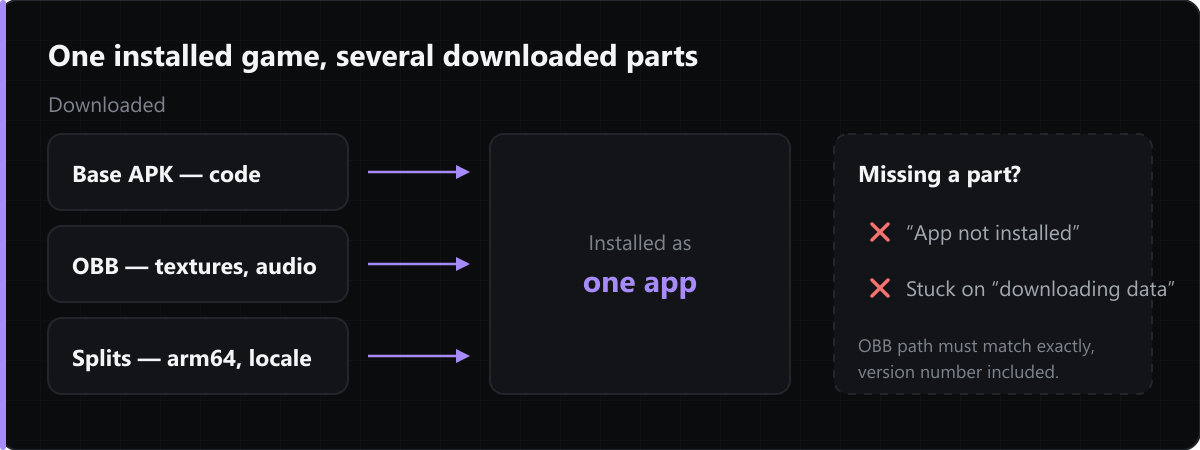
The APK holds the code; an OBB holds textures, audio and levels. Some games fetch the OBB themselves on first launch — which is why a small download can sit at "downloading data" for a long time afterwards. Where an OBB has to be placed manually it belongs in Android/obb/<package name>/, and the file name has to match exactly, version number included.
Split APKs and XAPK bundles
A split build separates code from per-architecture and per-language resources. Android installs the pieces together as one app, which is why a single split APK on its own will fail to install. Bundles distributed as XAPK are an archive of all the parts; they need an installer that understands the format, or manual extraction.
When installation fails
"App not installed" on a split build almost always means a missing part. A game that installs but crashes on launch is usually an architecture mismatch — an arm64 build on a 32-bit device — or a missing OBB.
Comments
Loading comments…